|
|
1. Program launcher
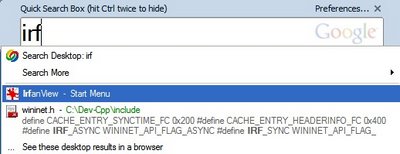
If a program has a shortcut in the Start Menu, type the first letters of the program name and you can launch it.
2. Control Panel replacement
Doyou want to change your mouse settings or the network setings? Type"mouse" or "network" and you can open the configuration tool withoutusing Control Panel.
3. Address bar
Open files, folders and Internet addresses.
4. Browser history
Yourbrowser can keep the sites you visit for a limited period (a week ormore). Google Desktop keeps them indefinitely and makes your historysearchable.
5. Browser cache
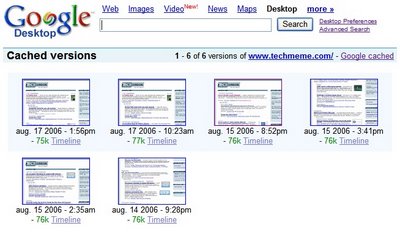
GoogleDesktop keeps all the versions of the pages you see in your browser, soyou can use it for reference if you want to see how a page has changed.
6. File recovery
If you delete a document, Google Desktop keeps it in its cache, so you'll still be able to recover the content.
7. File versioning
Youcan use Google Desktop to revert to a previous version of a document(text file, Office document, HTML file). Google Desktop keeps all theversions of a file, so it may be useful if you don't backup your files.
8. Most recent documents
Google Desktop has a timeline that lets you the files created or modified recently.
9. Office / PDF viewer
Ifyou don't have Microsoft Office or Adobe Reader, Google Desktop letsyou see a text version for PDF, DOC, XLS, PPT files. It doesn't lookgreat, but it's useful as a text preview.
10. Gmail replacement
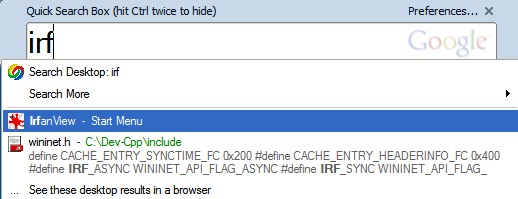
If a program has a shortcut in the Start Menu, type the first letters of the program name and you can launch it.
2. Control Panel replacement
Doyou want to change your mouse settings or the network setings? Type"mouse" or "network" and you can open the configuration tool withoutusing Control Panel.
3. Address bar
Open files, folders and Internet addresses.
4. Browser history
Yourbrowser can keep the sites you visit for a limited period (a week ormore). Google Desktop keeps them indefinitely and makes your historysearchable.
5. Browser cache
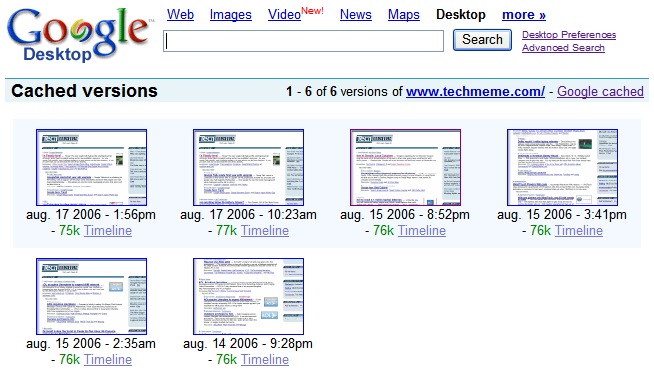
GoogleDesktop keeps all the versions of the pages you see in your browser, soyou can use it for reference if you want to see how a page has changed.
6. File recovery
If you delete a document, Google Desktop keeps it in its cache, so you'll still be able to recover the content.
7. File versioning
Youcan use Google Desktop to revert to a previous version of a document(text file, Office document, HTML file). Google Desktop keeps all theversions of a file, so it may be useful if you don't backup your files.
8. Most recent documents
Google Desktop has a timeline that lets you the files created or modified recently.
9. Office / PDF viewer
Ifyou don't have Microsoft Office or Adobe Reader, Google Desktop letsyou see a text version for PDF, DOC, XLS, PPT files. It doesn't lookgreat, but it's useful as a text preview.
10. Gmail replacement
Gmailis down or your internet connection is down. You don't use a desktopmail client, but you need to find an important mail. Fortunately,Google Desktop indexes your mail (if you want to), so you can searchyour messages and read them offline. The attachments aren't saved onyour PC.
采于:googlesystem|
|


没有评论:
发表评论